After you complete the trial application for Remote Support for Business, some essential software must be downloaded and installed for you to provide support and for your client to receive the support.
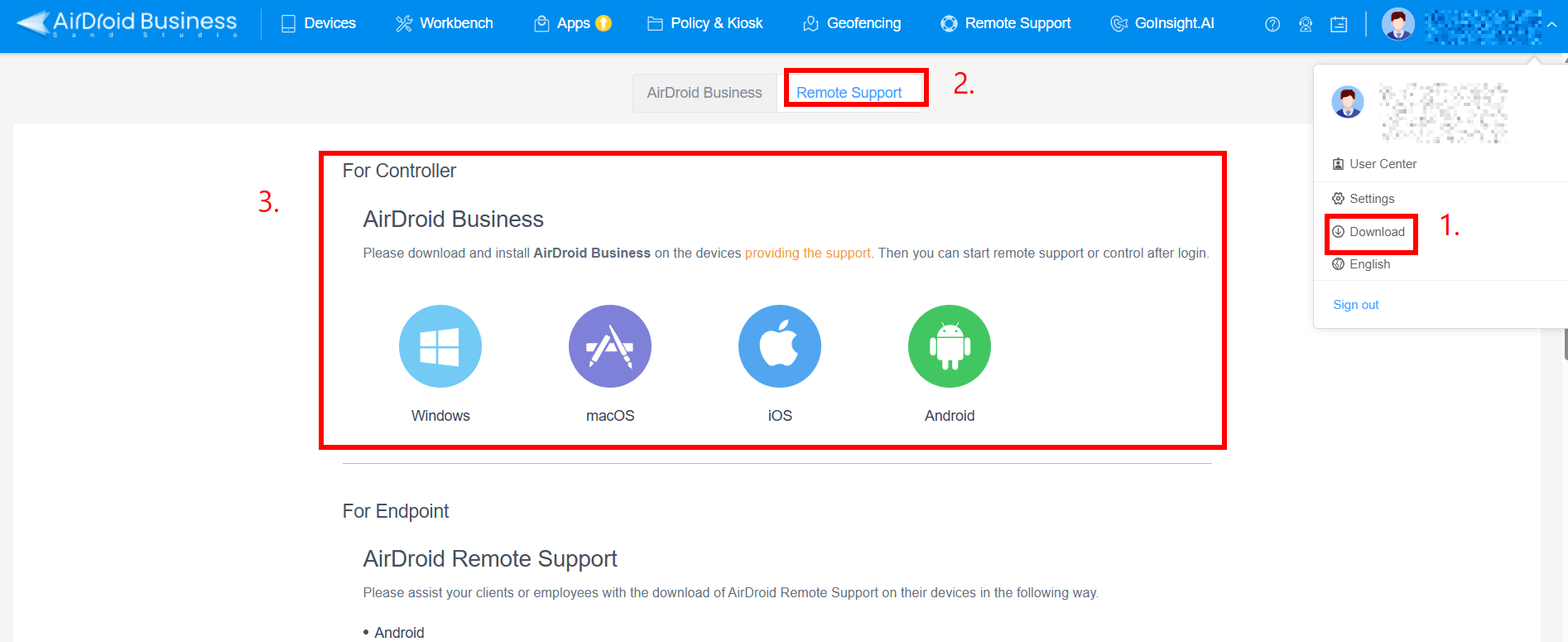
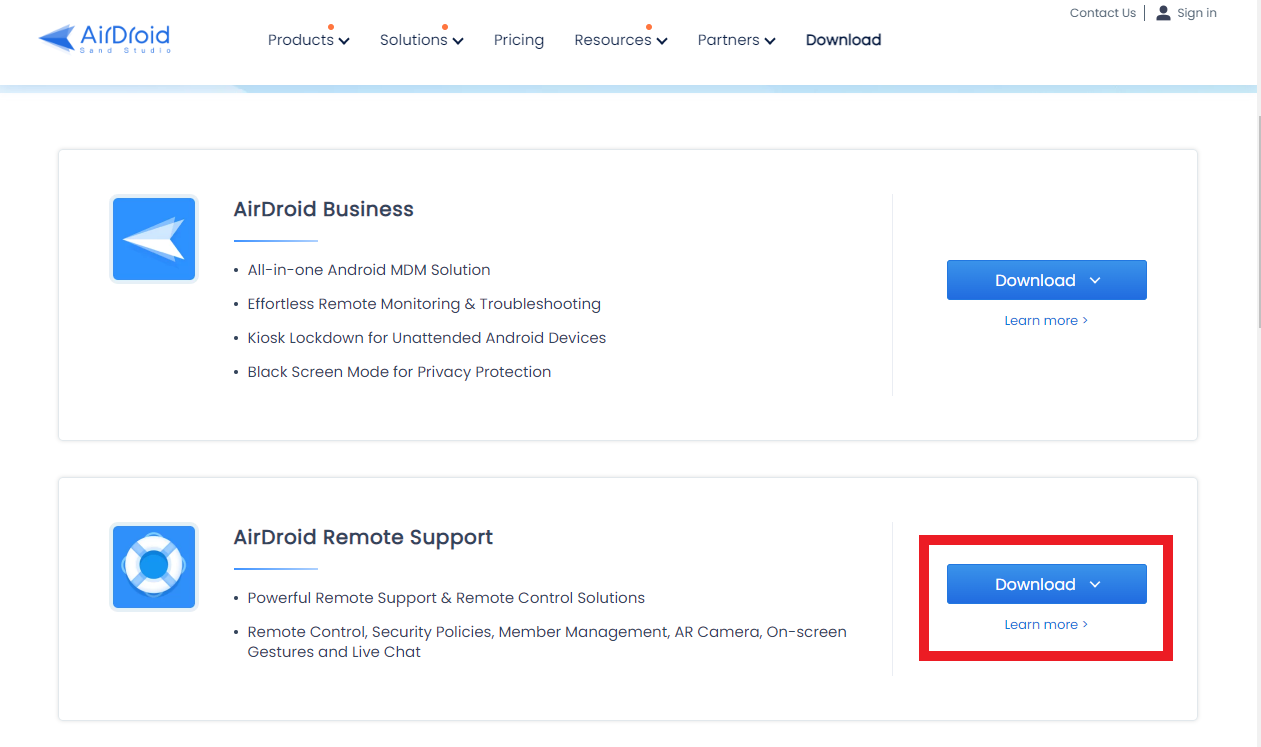
There are two places for you to download AirDroid Business to provide support to your client:
1. You can log in to Admin Console and find the download links.
2. All the download links are provided on the Download Center on our main page.
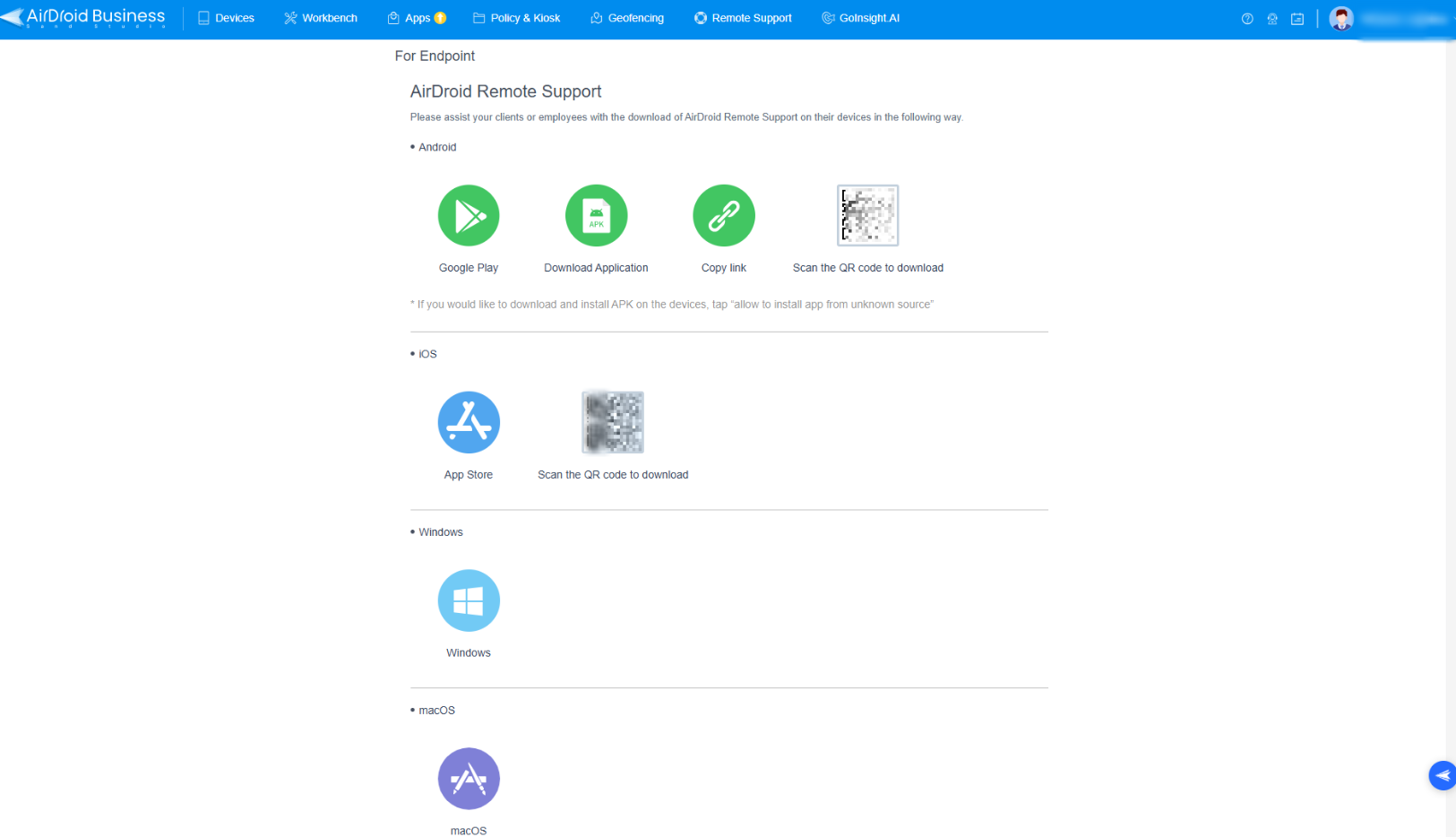
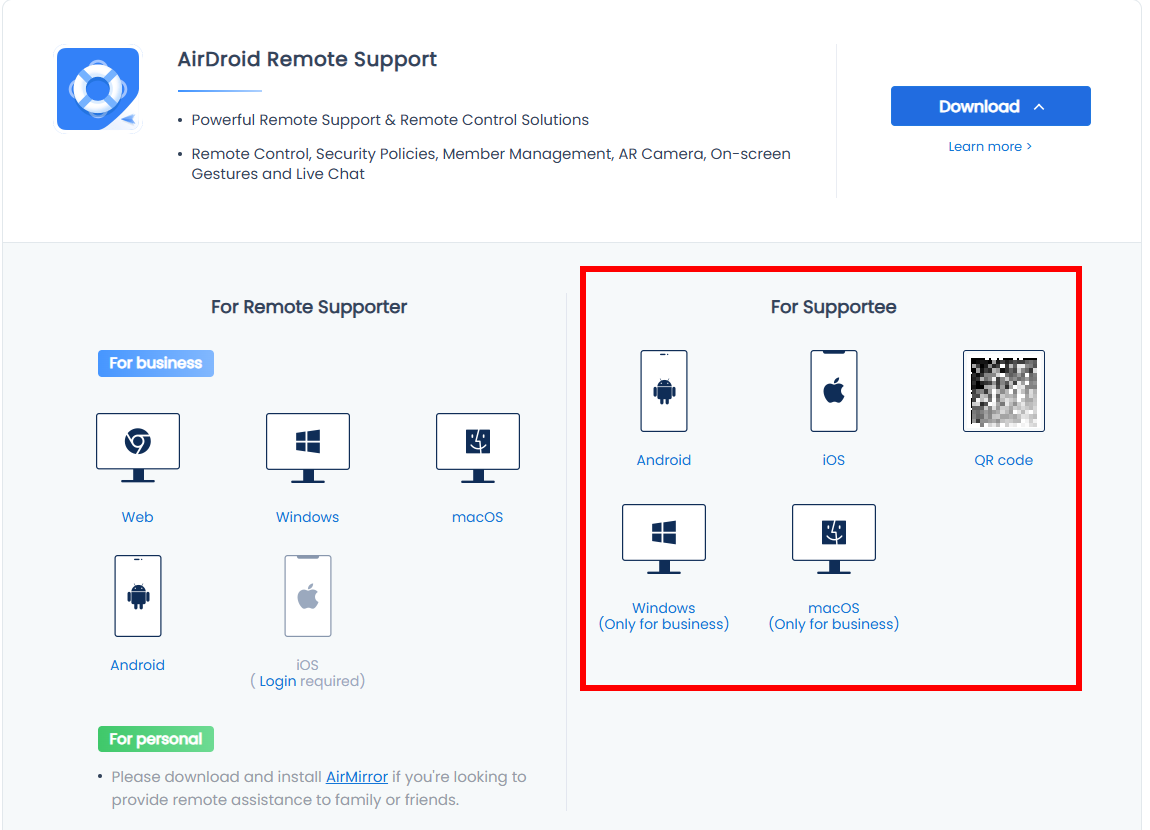
For your client to send a support request to you, they must install the AirDroid Remote Support application on their endpoint devices. The links are also provided in both Admin Console and Download Center.
After everything is prepared, let's start the first support session with the customers.
Was this article helpful?
That’s Great!
Thank you for your feedback
Sorry! We couldn't be helpful
Thank you for your feedback
Feedback sent
We appreciate your effort and will try to fix the article